Trello Power-Up to hide labels and fields from card covers
I had an ingenious idea to show a clutterless view of a Trello board. Sometimes it is beneficial to have an overview of card names without all the details like labels, assignments, photos, dates, custom fields, and so on.
For instance, instead of displaying a board with tens of cards with labels, due dates and custom fields like this:
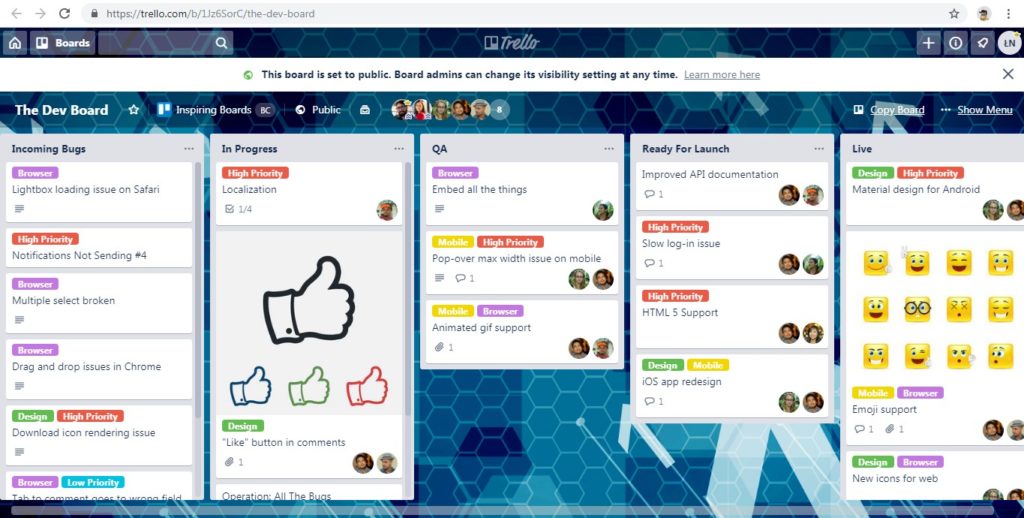
it would be great to have a quick look at just the names:
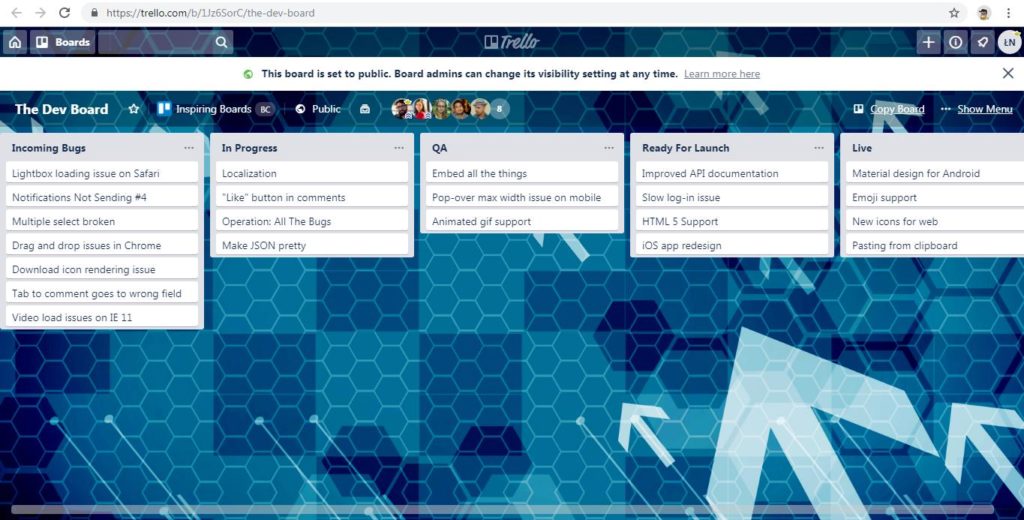
I have quickly discovered how to achieve this effect – by calling:
I started investigating Trello documentation and decided to create a Power-Up. There is a lot of useful documentation:
By the way, I’ve put together a small collection of tools I use regularly — things like time tracking, Git helpers, database utilities, and a few others that make development a bit smoother.
- https://developers.trello.com/docs/get-started
- https://developers.trello.com/reference#power-ups-intro
- https://tech.trello.com/power-up-tutorial-part-one/
It turned out that creating a simple Trello Power-Up is… simple. The fastest route was to use a service Trello uses in the guidelines: Glitch. I have created there just two files:
I know, the icon is stolen from the examples. Anyway, it was just for a test. After registering my Power-Up for my team and enabling it with board-buttons and callback capabilities, it almost worked. Almost – except for the fact that Power-Ups are created inside an iframe so there is no access to the cards or their styles, and the API does not expose any method to hide parts of cards, only for adding new details.
So my treasure with the Trello Power-Up had to be abandoned, and the only way to achieve the functionality is by a Bookmarklet.
Bookmarklet – does anyone still use it?
Check the list of My favorite bookmarklets
And here is my simplest Trello Clutterless View bookmarklet:
I have further developed the bookmarklet in Trello-Clutterless-View GitHub repository where it can be downloaded.
This is really excellent. Thank you
this is a lovely thing!
I’m glad you liked it :).
This has been very helpful to me and I would recommend it fully. Having said that, well deserved compliment, it seems to have stopped working in the past few weeks. I don’t recall exactly when, but I can’t get it to work on any of the various machines I use.
Thanks for the comment. True, it stopped working because Trello changed their class names in HTML. For example, what previously was named “list-card-details”, now is called “T9JQSaXUsHTEzk”, and it seems such random names will be changing from time to time. A temporary solution is to replace the class names I provided in the snippet with new names and update them regularly.