E-book: How to set up free WordPress platform for IT blogs
The fastest way to have own WordPress blog just like everyone else!
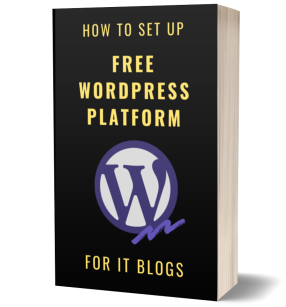
Do you want to set up a typical blog but you don’t know how to start, which plugins to use or how to customize the site? I spent a few weeks in total doing that from scratch – from learning the ecosystem to adjusting the platform to my very specific needs. WordPress is very customizable yet very confusing at the beginning.
Who is it for?
The solutions presented in the e-book will be useful for most types of blogs, including lifestyle, technical and IT. I named it “for IT blogs” because it includes a module to display source code, but apart from that all types of bloggers will benefit!
Save your time and make use of my experience! Start your WordPress blog.
Contents
What can you find inside the book? Everything from the installation, through content creation, to the administration and maintenance. Check the table of contents below for details:
Set-up
- Hosting – WordPress.com, self-hosting
- Installation and configuration of WordPress
- Themes – built-in, free and paid
- Installation of theme
- What’s in a theme – source files
- Plugins – installation and configuration of tens of useful plugins for WordPress
Creating content
- Posts
- Pages
- Home page
- Menu
- Footer
- Tags and categories
- SEO
- Use Markdown
- Use rich text editor and HTML code
- Add rich content – images and video
- Automatic Table of Contents
- Data tables
- Source code
- Quotations, testimonials
- Custom blocks
Administration
- Application updates: WordPress, Themes, Plugins
- Set up backup
- Add Google Analytics or Google Tag Manager
- Make the page GDPR-compliant
- Add contact forms
- Add signup to newsletters and send messages to mailing lists
- Set up a comments system and prevent spam
- Generate a sitemap for search engines and submit it to Google and Bing
- Generate RSS
- Improve the performance of the site
- Secure the site
- Maintain pages, posts, tags and categories
Customization
- Keep the list of changes and revert them
- Create a child theme to customize the theme
- Customize HTML code of templates: layout, page, post
- Customize CSS styles of theme
- Add breadcrumb
- Add widgets area (sidebar) in the header or footer of a page
- Add widgets area (sidebar) in any place on home page
- Add widgets area (sidebar) before or after a post
- Conditionally display widgets
- Implement smooth scrolling
- Improved headers – auto numbering and show link anchors on hover
- Responsive data tables
- Highlight source code
- Display images in lightboxes and galleries
- Customize the menu with icons
- Add automatically generated related posts
- Improve tag clouds for categories
- Add social media follow and share buttons
- Automatically post to social media whenever a new blog post is published
- Show word counter and reading duration
- Create shortcodes to unify the display of repeating elements
- Create shortcodes to insert dynamic elements, e.g. ads
- Show tag cloud and icons in the footer
- Make a sticky sidebar
Bonus sections
- Editorial workflow and calendar
- Post to social media
- Create graphics for advertising posts in social media
- Create product mockups: shirts, mugs, laptops and book covers
- Create a staging site for testing
- Run automated tests
- How to set up Google Analytics and Google Tag Manager
- How to interpret the statistics in Google Analytics
Who am I?
I am a developer and blogger. This blog was created and customized all by myself using WordPress installation on my hosting, free WordPress plugins and some CSS / HTML / PHP / JavaScript development. I wished there was such a guide when I started blogging but I didn’t find anything. Now I want to share with my experience and make the start easier for you. Enjoy!
Samples
You can find parts of some chapters of the book published on this blog. Just search for my posts tagged WordPress.
JOIN
Click to learn how to create a WordPress blog, configure it and how to customize WordPress platform: